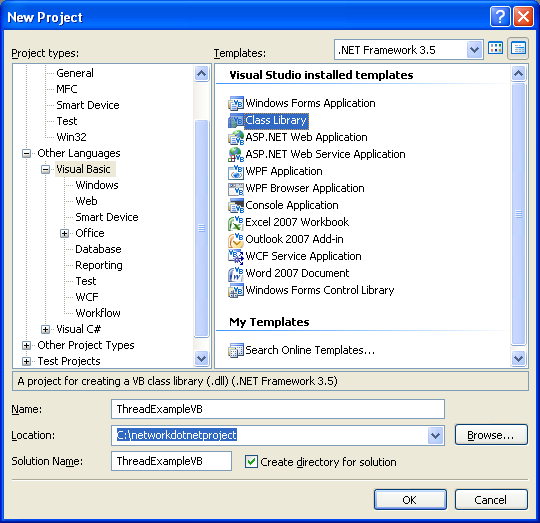
Class module:
NotInheritable Class DynamicAPI
#Region "API"
<Runtime.InteropServices.DllImport("kernel32.dll", SetLastError:=True)> Private Shared Function LoadLibrary(ByVal lpFileName As String) As IntPtr
End Function
<Runtime.InteropServices.DllImport("kernel32.dll", SetLastError:=True, CharSet:=Runtime.InteropServices.CharSet.Ansi, ExactSpelling:=True)> Private Shared Function GetProcAddress(ByVal hModule As IntPtr, ByVal procName As String) As IntPtr
End Function
<Runtime.InteropServices.DllImport("kernel32.dll", SetLastError:=True, EntryPoint:="FreeLibrary")> Private Shared Function FreeLibrary(ByVal hModule As IntPtr) As Boolean
End Function
#End Region
#Region "Types"
Public Delegate Function DefaultAPI() As IntPtr
Public Delegate Sub VoidAPI()
#End Region
#Region "Methods"
Public Overloads Shared Function Invoke(ByVal Library As String, ByVal [Function] As String, Optional ByVal [Delegate] As Type = Nothing) As Object
If [Delegate] = Nothing Then
[Delegate] = GetType(DefaultAPI)
End If
Dim [Module] As IntPtr = LoadLibrary(Library)
If [Module] = IntPtr.Zero Then
Throw New Exception("Could not load DLL")
End If
Dim Method As IntPtr = GetProcAddress([Module], [Function])
If Method = IntPtr.Zero Then
FreeLibrary([Module])
Throw New Exception("DLL was loaded but the method was not found")
End If
MsgBox(Method)
Dim Value As Object = Runtime.InteropServices.Marshal.GetDelegateForFunctionPointer(Method, [Delegate]).DynamicInvoke
FreeLibrary([Module])
Return Value
End Function
Public Overloads Shared Function Invoke(ByVal Library As String, ByVal [Function] As String, ByVal [Delegate] As Type, ByVal ParamArray Arguments As Object()) As Object
If [Delegate] = Nothing Then
[Delegate] = GetType(DefaultAPI)
End If
Dim [Module] As IntPtr = LoadLibrary(Library)
If [Module] = IntPtr.Zero Then
Throw New Exception("Could not load DLL")
End If
Dim Method As IntPtr = GetProcAddress([Module], [Function])
If Method = IntPtr.Zero Then
FreeLibrary([Module])
Throw New Exception("DLL was loaded but the method was not found")
End If
Dim Value As Object = Runtime.InteropServices.Marshal.GetDelegateForFunctionPointer(Method, [Delegate]).DynamicInvoke(Arguments)
FreeLibrary([Module])
Return Value
End Function
#End Region
End Class
Sample Dll: ClassLibrary1.dll
Public Module Class1
Public Sub Show()
MsgBox("It works", MsgBoxStyle.Information, "Success")
End Sub
End Module
Using method:
Private Delegate Sub Show()
Sub Main()
DynamicAPI.Invoke("ClassLibrary1.dll", "Show", GetType(Show))
End Sub